

Logic Harbor Card Workbench Concept
Digital concept · Not physically validated
A tabletop card-learning concept that pairs one clear picture question with four physical answer positions.
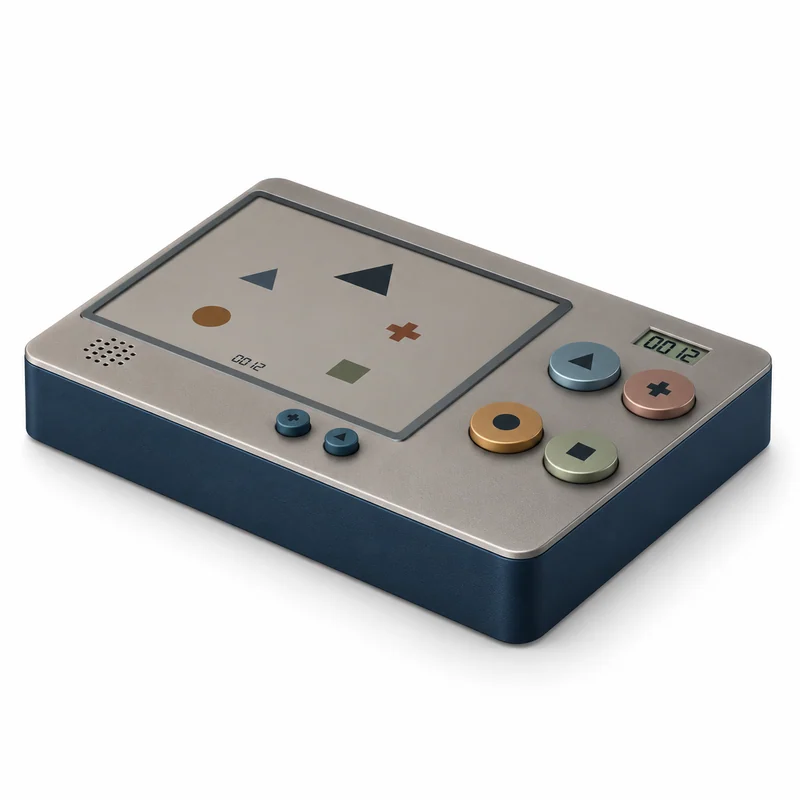
Choose a picture and discuss the answer
Logic Harbor explores a quieter way to present a single original card task. A proposed adult-entered card ID links the printed question to local feedback, without a camera or automatic card reader in the MVP.
Choose an original card
An adult selects one original question card.
Confirm its card ID
Enter and confirm its printed card ID.
Choose a picture answer
Choose one of four picture options and press the matching button.
Discuss and change the card
Discuss the feedback, try again or change the card.
One card position and four answer controls
A tabletop card position sits above four physical answer buttons in a two-by-two layout. An adult would enter and confirm the printed card ID. Automatic optical card reading is outside the proposed first version; card matching and feedback remain untested.

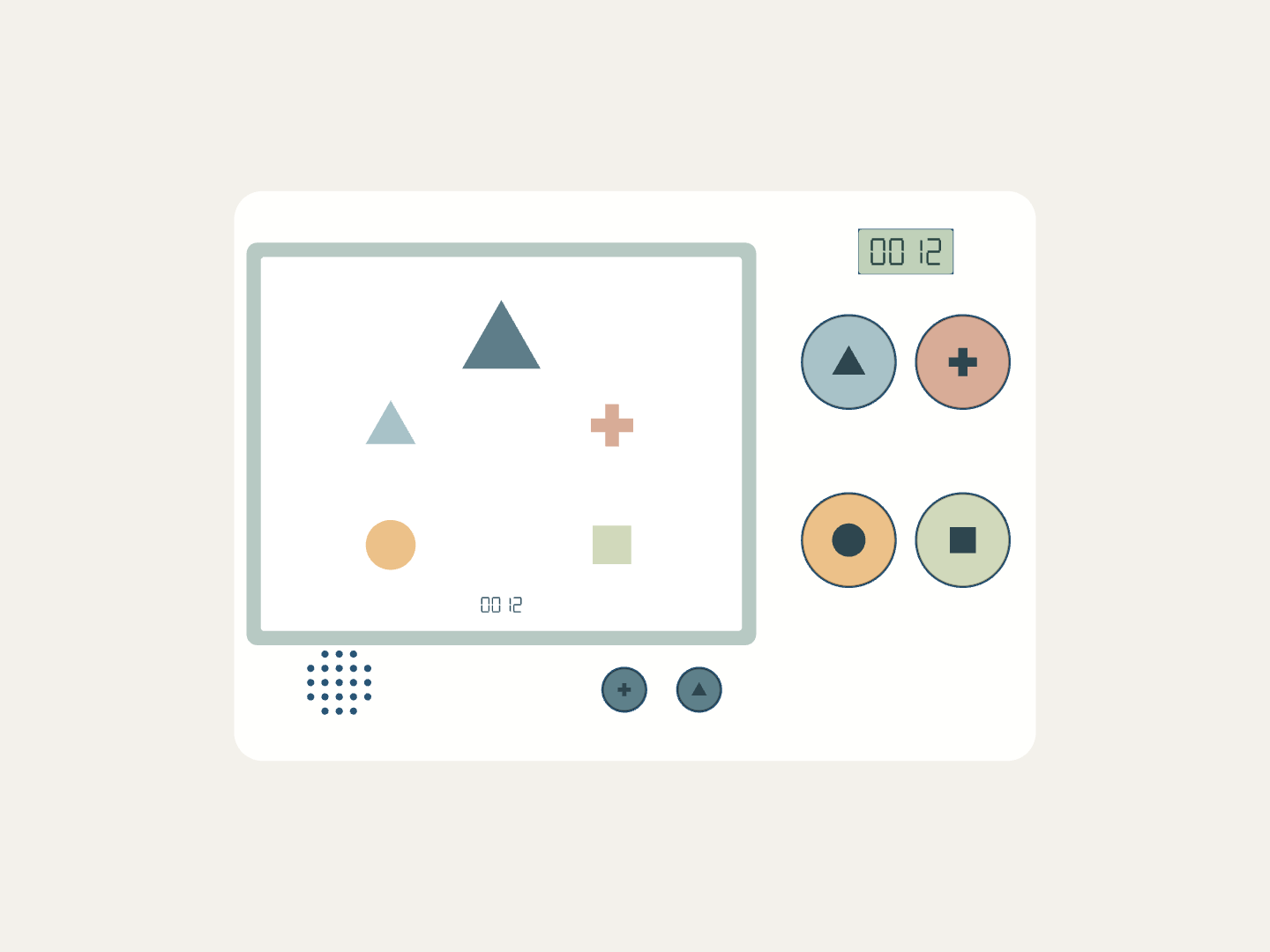
All views are digital concept images, not photographs of a physical prototype.
Proposed design inputs
| Answer layout | Four proposed physical answer buttons in a 2 × 2 arrangement |
|---|---|
| Adult setup | Adult card-ID selection and confirmation controls |
| Feedback direction | Small card-ID display and local speaker |
| Card matching | Manual ID matching; no optical card recognition in the proposed MVP |
A starting point for your product brief
Choose this direction as a reference, then define what your customers need. These are possible development discussions, not confirmed ready-made options.
Share your requirementsFrom an idea to a development decision
Agree the brief
Define the audience, sales market, intended experience, original content, changes and commercial constraints.
Check the experience
Use simple mock-ups and a full-size form model to assess the proposed task before committing to tooling or custom electronics.
Evaluate feasibility
Review real components or mechanisms, power where applicable, usability, structure and market-specific safety requirements.
Decide whether to develop
Agree scope, ownership, budget, prototype stages and validation responsibilities. Tooling and production assessment would be later decisions.
Questions about this concept
Is there a working physical sample?
No. This is a concept for customer selection and reference. No mold, PCB or physical prototype has been built or tested.
Does the device read a card automatically?
The proposed MVP uses an adult-entered card ID. The adult must match and confirm the ID printed on the card.
Are learning improvements proven?
No. The concept defines a card-and-button play experience; no educational efficacy, intelligence score or developmental result is claimed.
Can the card set be customized?
Original subjects, languages, artwork and answer rules can be discussed. Content review, licensing and validation remain part of development.
Would this direction fit your product range?
Share your target market, intended users and changes. Begin with a concept review and a development brief.