From the board to the product, with a defined manufacturing route.
Xinyinhai provides in-house electronics development and SMT assembly for electronic toys, interactive products and plastic products with electronics. Planned maintenance, internal training, automatic printing and inspection gates support consistent execution.
Start with the function you need and the board information you have. We review the board, housing, assembly and testing requirements together, then agree the project scope.
Printing and placement variation can travel downstream. The workshop board puts checks between operations and shows where a rejected board goes, including cleaning, correction and AOI reinspection.
01
Receive & check
PCB intake and appearance inspection.
Appearance issue → IQC disposition
02
Print & check
Red adhesive where shown, then automatic solder-paste printing.
Inspect each print operation
03
Place & check
Component placement followed by pre-oven QC.
Exception → technical improvement
04
Reflow / cure
Set parameters for the paste and PCB requirements.
Setup → parameter record
05
Inspect optically
AOI on the single-sided and double-sided B routes.
Reject → repair → Return to AOI
06
Rack & transfer
Rack the boards for the next route or assembly handoff.
Double-sided A continues to B
This overview summarizes the archived workshop routes. Red-adhesive printing and curing apply where shown. The detailed route, inspection coverage and current work instruction are reviewed for each board.
Single-sided and double-sided A/B routesAll steps & exception returns
Single-sided SMT
Includes the red-adhesive branch and post-reflow AOI.
01PCB intake
02PCB appearance inspection
03Screen-print red adhesive
04Adhesive-print inspection
05Load the board feeder
06Automatically stencil-print solder paste
07Solder-paste-print inspection
08Place components
09Pre-oven QC inspection
10Reflow soldering / curing
11AOI inspection
12Rack the boards
Double-sided SMT A
After racking, continue to double-sided B. No separate AOI gate is drawn on A.
01PCB intake
02PCB appearance inspection
03Screen-print red adhesive
04Adhesive-print inspection
05Load the board feeder
06Automatically stencil-print solder paste
07Solder-paste-print inspection
08Place components
09Pre-oven QC inspection
10Reflow soldering / curing
11Rack the boards
Double-sided SMT B
Begins at the board feeder. No red-adhesive print step is drawn on B.
Notify technical staff for improvement, then assess correction
No return is drawn
Single-sided
Correction assessment — correction accepted
Proceed to reflow soldering / curing
Reflow soldering / curing
Single-sided
Correction assessment
Remove the already placed components, then wash the board
Screen-print red adhesive
Single-sided
AOI inspection
Repair
AOI inspection (reinspection)
Double-sided A
PCB appearance inspection
Notify IQC for disposition
No return is drawn
Double-sided A
Adhesive-print inspection
Wash the board
Screen-print red adhesive
Double-sided A
Solder-paste-print inspection
Wash the board
Screen-print red adhesive
Double-sided A
Pre-oven QC inspection
Notify technical staff for improvement, then assess correction
No return is drawn
Double-sided A
Correction assessment — correction accepted
Proceed to reflow soldering / curing
Reflow soldering / curing
Double-sided A
Correction assessment
Remove the already placed components, then wash the board
Screen-print red adhesive
Double-sided B
Solder-paste-print inspection
Wash the board
Load the board feeder
Double-sided B
Pre-oven QC inspection
Notify technical staff for improvement, then assess correction
No return is drawn
Double-sided B
Correction assessment — correction accepted
Proceed to reflow soldering / curing
Reflow soldering / curing
Double-sided B
Correction assessment
Remove the already placed components, then wash the board
Load the board feeder
Double-sided B
AOI inspection
Repair
AOI inspection (reinspection)
Source: archived SMT production workshop board, single-sided and double-sided A/B diagrams. On single-sided/A, both adhesive- and solder-paste-print rejects wash and return to red-adhesive printing. On B, a paste-print reject returns through the board feeder. AOI rejects are repaired and returned to AOI for reinspection.
Quality gates and disposition9 nodes · separate source chart
Quality-control chart — node, object, normal flow and exception
Node
Object / activity
Accepted / normal flow
Exception path
Prepare process technical documentation
Process documents
PCB appearance inspection
No exception is drawn
PCB appearance inspection
PCB appearance
PCB installation inspection (OK)
Return to warehouse (NG)
PCB installation inspection
PCB installation
Screen-print inspection (OK)
Return to warehouse; the condition is not labelled and cannot be stated as NG
Screen-print inspection
Screen-print result
Component placement inspection (OK)
Return to warehouse (NG)
Component placement inspection
Component placement
Post-oven QC appearance inspection (OK)
Correct / adjust (NG)
Post-oven QC appearance inspection
Post-oven board appearance
Confirm depaneling result (OK)
Correct / adjust / return to warehouse (NG)
Confirm depaneling result
Depaneling result
Packaging (OK)
Feed back to IQC (NG)
Packaging
Packaged boards
ERP warehouse entry
No exception is drawn
ERP warehouse entry
Warehouse entry
End of documented chart
No exception is drawn
The PCB-installation branch returns to the warehouse, but its condition is not labelled. The quality chart sends print rejects to the warehouse; the workshop routes show washing and reprinting. These remain separate references. Their applicable conditions require project review.
Source: archived SMT production quality-control chart. No additional recheck loop is drawn here. ERP warehouse entry is the stated final node.
The automatic printer reduces reliance on hand printing. Operators still prepare the setup, add paste, confirm the print and arrange repairs. The aim is repeatable execution with visible quality decisions.
OPERATOR SETUPAUTOMATIC RUNQUALITY CONFIRMATION
01 / STARTPower & self-check
Start DSA control software and verify the system.
02 / PREPARERails, stencil & squeegee
Set width, align the stencil and prepare cleaning and paste.
03 / RUNExecute the print
Run the automatic solder-paste printing operation.
04 / VERIFYConfirm, then produce
Check the print result before continuing production.
Self-check failsPower off → technical repair → restart from power on
Print result failsFine-adjust stencil → confirm print quality again
The complete 11-step printer startupIncluding cleaning-paper setup
01Switch on power
02Open the DSA software
03Run the system self-check
04Set the rail width
05Install and align the stencil
06Set the squeegee
07Load stencil-cleaning paper and set the cleaning frequency
08Add solder paste
09Click Run
10Confirm print quality
11Production
Cleaning frequency is set during preparation; the source supplies no fixed interval. DSA is the control-software label used in the archived diagram. The job’s paste, stencil and setup requirements determine the applicable settings.
Source: standalone automatic-printer flow. The workshop-board version ends with transfer to the placement machine and does not separately draw the cleaning-paper/frequency step.
Board-feeder and placement-machine preparationWorkshop-board startup references
Board feeder
01Remove PCBs from the board slots
02Switch on machine power
03Click Manual
04Click Start
05Click Width adjustment
06Click Widen or Narrow repeatedly
07Confirm the board fits
08Click Return
09Click Reset
10Click Return
11Click Automatic
12Click Start
13Feed the board into the automatic solder-paste printer
If the board does not fit, return to widening or narrowing the rail.
Component placement machine
01Prepare components
02Load components into feeders
03Install feeders in the placement machine
04Switch on placement-machine power
05Run the system self-check
06Set the rail width
07Set up placement coordinates
08Click Production
09Click F2
10Press the START switch
11Confirm placement quality
12Production
A failed self-check leads to power-off and technical repair, then a restart. A failed placement confirmation returns to placement-coordinate setup.
Printer transfer sequence on the workshop board
01Switch on power
02Open the DSA software
03Run the system self-check
04Set the rail width
05Install and align the stencil
06Set the squeegee
07Add solder paste
08Click Run
09Confirm print quality
10Transfer the board to the placement machine
The same self-check repair/restart and print-adjustment/reconfirmation paths are drawn. This separate version has 10 steps and ends in board transfer.
03 / EQUIPMENT MAINTENANCE & 5S
SMT Equipment Maintenance Planning
Equipment wear, dirt and disorder can affect execution. The preventive maintenance plan identifies equipment, parts and cycles. Training also addresses workplace organization and careful material handling.
7equipment categories
26planned maintenance items
3 cyclesmonthly · half-yearly · annual
SMT equipment
Printing, placement, reflow and optical inspection.
Pick-and-place machine
Monthly · Half-yearly · Annually5 planned items
Reflow oven
Monthly3 planned items
Automatic solder-paste printer
Monthly3 planned items
Automated optical inspection system
Monthly5 planned items
Related IC bonding & dispensing equipment
Separate process categories; these are not mandatory steps for every SMT board.
Bonding machine
Monthly · Half-yearly · Annually4 planned items
Die-bonding machine
Monthly3 planned items
Encapsulation dispensing machine
Monthly3 planned items
Plan status: monthly items are planned each month; half-yearly work is planned in June and December; annual work in December. The source year is blank and all implementation cells are blank. This is a maintenance plan; current condition, completion and availability are confirmed during production planning.
All 26 maintenance items and planned cyclesComplete English reference
Preventive maintenance plan — equipment, item and cycle
Equipment
Planned item
Cycle
Planned months
Pick-and-place machine
Body sheet metal
Monthly
Every month
Pick-and-place machine
Nozzle / prism
Monthly
Every month
Pick-and-place machine
Rails
Monthly
Every month
Pick-and-place machine
X/Y/R/Z axes
Half-yearly
June and December
Pick-and-place machine
Overall maintenance
Annually
December
Reflow oven
Body sheet metal
Monthly
Every month
Reflow oven
Internal cleaning
Monthly
Every month
Reflow oven
Chain lubrication
Monthly
Every month
Automatic solder-paste printer
Body sheet metal
Monthly
Every month
Automatic solder-paste printer
Rail maintenance
Monthly
Every month
Automatic solder-paste printer
Lead-screw maintenance
Monthly
Every month
Automated optical inspection system
Body sheet metal
Monthly
Every month
Automated optical inspection system
Camera-lens cleaning
Monthly
Every month
Automated optical inspection system
X/Y-axis cleaning
Monthly
Every month
Automated optical inspection system
Rail screw-hole cleaning
Monthly
Every month
Automated optical inspection system
Positioning rail
Monthly
Every month
Bonding machine
Body sheet metal
Monthly
Every month
Bonding machine
Internal cleaning
Half-yearly
June and December
Bonding machine
Rail maintenance
Half-yearly
June and December
Bonding machine
Overall maintenance
Annually
December
Die-bonding machine
Body sheet metal
Monthly
Every month
Die-bonding machine
X/Y-axis worktable
Monthly
Every month
Die-bonding machine
Dispensing valve
Monthly
Every month
Encapsulation dispensing machine
Body sheet metal
Monthly
Every month
Encapsulation dispensing machine
X/Y axes
Monthly
Every month
Encapsulation dispensing machine
Dispensing valve
Monthly
Every month
Source: archived annual SMT and bonding maintenance plan. Part-only entries remain part names; they do not imply a specific replacement or calibration action. “Nozzle / prism” normalizes the source spelling. The precise bonding-machine subtype is not specified.
5S & standard work
Training connects sorting, orderly placement, cleaning, standardization and discipline to the work area. Storage examples and maintenance planning support that approach; they do not by themselves document a completed 5S audit.
4M change awareness
The plan also lists changes in people, methods, materials and machines. Recognizing a change helps identify what must be checked before the next run.
Five-leak management
A separate note covers water, electricity, oil, air and materials. These five leak categories are distinct from 5S workplace organization.
FACTORY EVIDENCE / ARCHIVED WORKSHOP BOARD
Equipment and storage details
Selected, de-identified photo crops from the supplied workshop board. These show documented details; current equipment configuration is confirmed for the project.
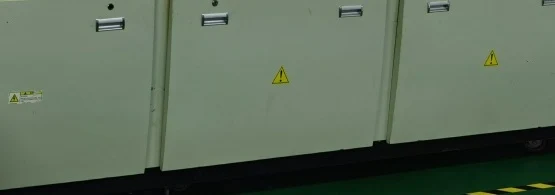
Enlarge detail ↗Reflow oven detailMachine-body detail from the archived workshop board. The board separately specifies paste- and PCB-dependent setup and a record after each setup.
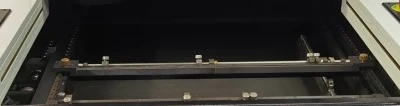
Enlarge detail ↗AOI inspection bedInspection-bed detail from the archived workshop board. AOI is shown in the single-sided and double-sided B routes.
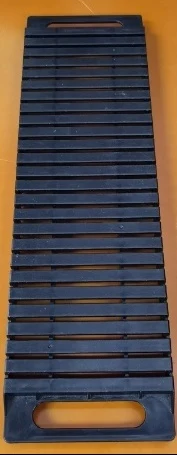
Enlarge detail ↗Board storage rackStorage detail from the archived workshop board. Its handling note specifies one PCB per rack layer; the applicable handling rule is reviewed for the job.
04 / TRAINING, STANDARD WORK & RECORDS
Make the operator’s decisions consistent
Xinyinhai conducts internal SMT training. The reviewed materials provide topics and methods for recognizing risks, following setup instructions and reporting abnormal results.
Training topics and their connection to the work
Training topic
Related operation
Risk addressed
Document / check basis
Component identification & orientation
Read component markings, package form and placement direction.
Wrong component, inverted placement or incorrect orientation.
Training references; apply the approved BOM, placement drawing and product-specific instruction.
ESD handling awareness
Recognize electrostatic discharge (ESD) risks when handling electronic parts and boards.
Damage that may not be visible at the assembly stage.
Training references; define the handling controls required by the components and project.
5S workplace organization
Organize materials, tools and board storage; keep the work area clear.
Mix-ups, contamination and avoidable handling damage.
Training references and archived workshop storage examples; agree identification and storage rules for the job.
Solder paste & stencil preparation
Understand paste condition, stencil identity, apertures, alignment and cleanliness.
Uneven deposits, bridging and insufficient solder.
Documented printer setup and print-quality confirmation; paste and stencil criteria are project-specific.
Material loading & changeover checks
Compare the material and feeder position with the intended placement.
Wrong material, missing components and placement errors.
Training references; the workshop board documents component preparation, feeder loading and placement confirmation. Detailed changeover checks follow the applicable work instruction.
Equipment operation & maintenance awareness
Understand setup, self-checks, fault escalation and the planned maintenance items.
Continuing with an unsuitable setup or unresolved equipment fault.
Workshop startup diagrams, printer fault routes and the preventive maintenance plan.
Reflow process awareness
Relate the thermal process to solder paste and the PCB requirements.
Poor wetting, open joints and other thermal-process defects.
Workshop board: supervisor setup before production, followed by a setup-parameter record retained in the workshop.
Defect identification & feedback
Recognize defect types and discuss possible causes consistently.
Confusing symptoms with verified causes or passing unresolved defects forward.
Training fishbones and documented QC/AOI exception routes; investigation is required to establish a cause.
DOCUMENTED RECORD REQUIREMENT
Reflow setup → a retained parameter record
The workshop board requires the supervisor to set parameters before production according to the solder-paste type and PCB thickness and size. After each setup, the parameters are recorded in the reflow-oven setup-parameter record and retained in the workshop.
This is a documented requirement. No completed setup record is reproduced here, and historical temperature examples are not presented as a universal production profile.
Training references are consolidated from the supplied materials, including general and third-party teaching content. They are evidence of training topics, rather than completed sign-ins, assessments, certification or measured defect reduction. Material-change checks and stencil identity/status checks are useful project-specific standard-work controls; their exact instruction and record format are agreed for the job.
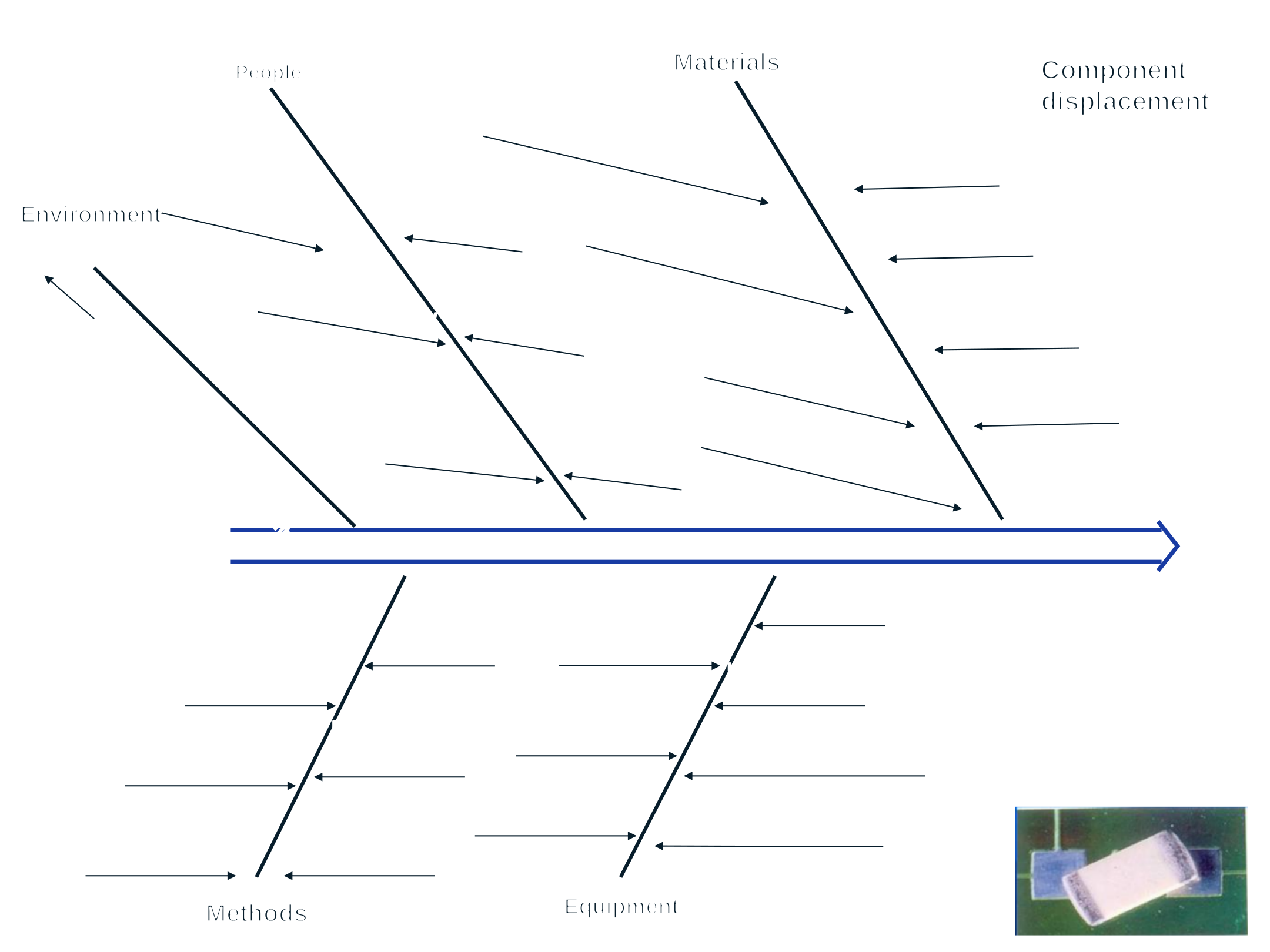
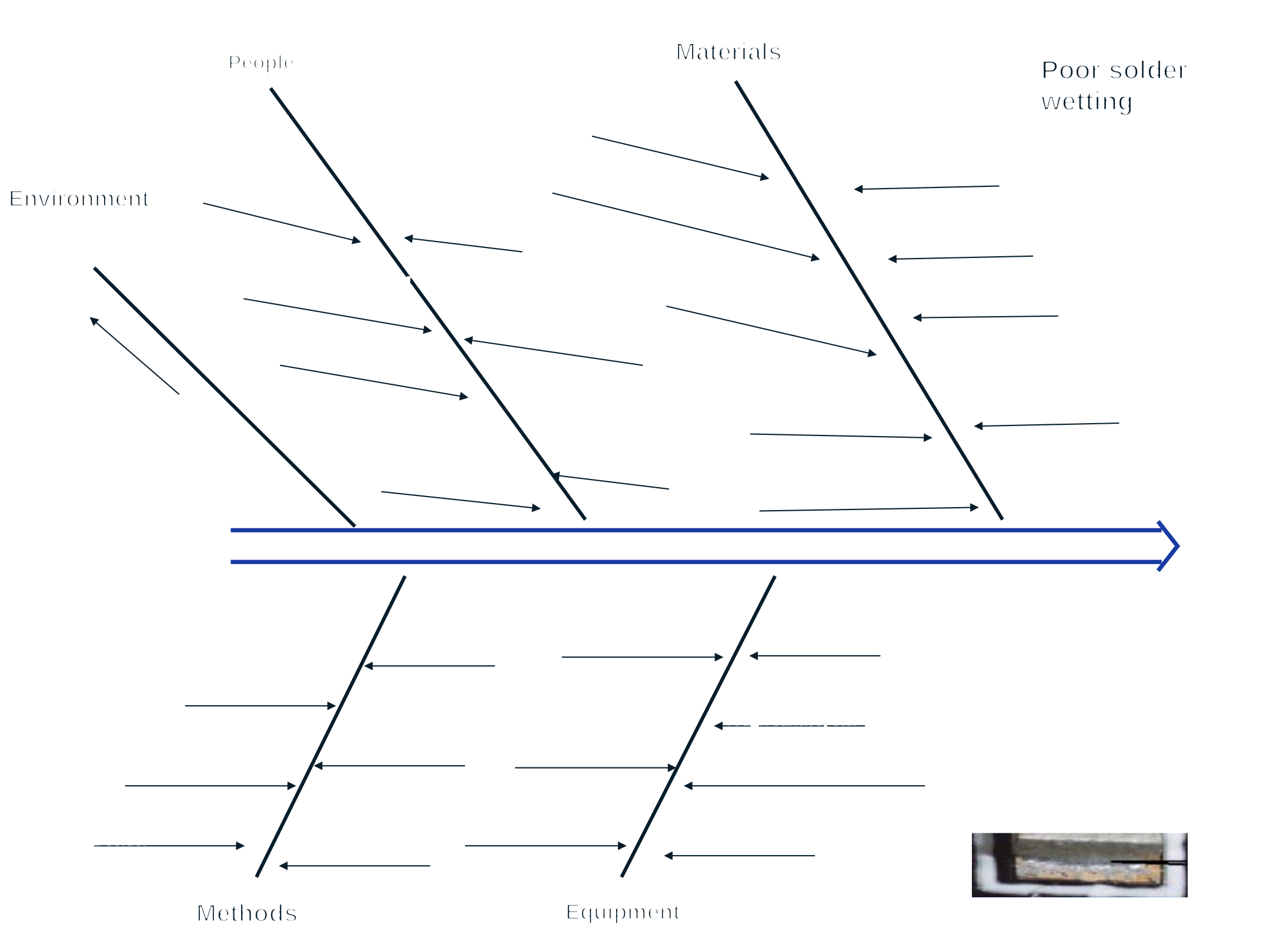
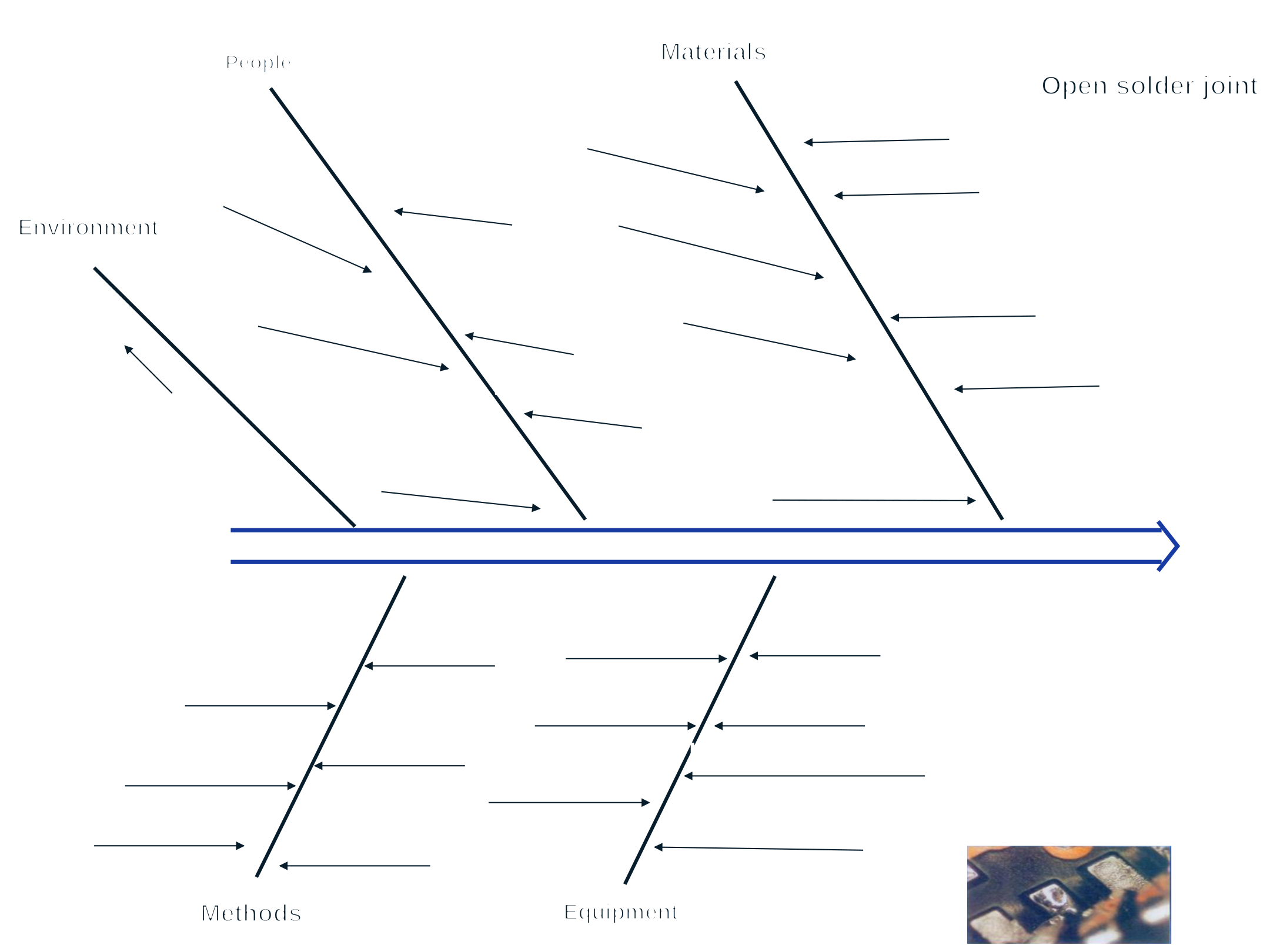
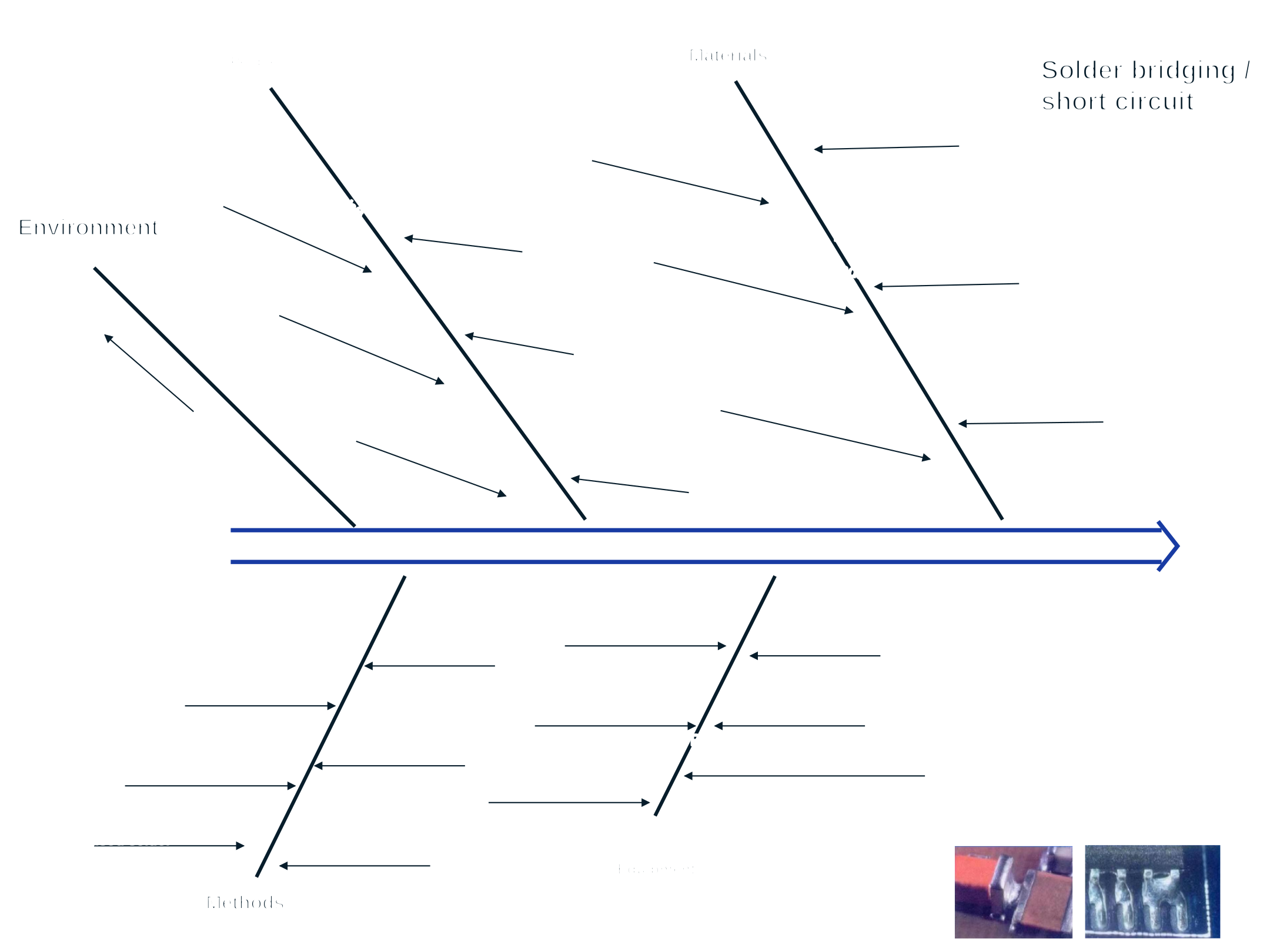
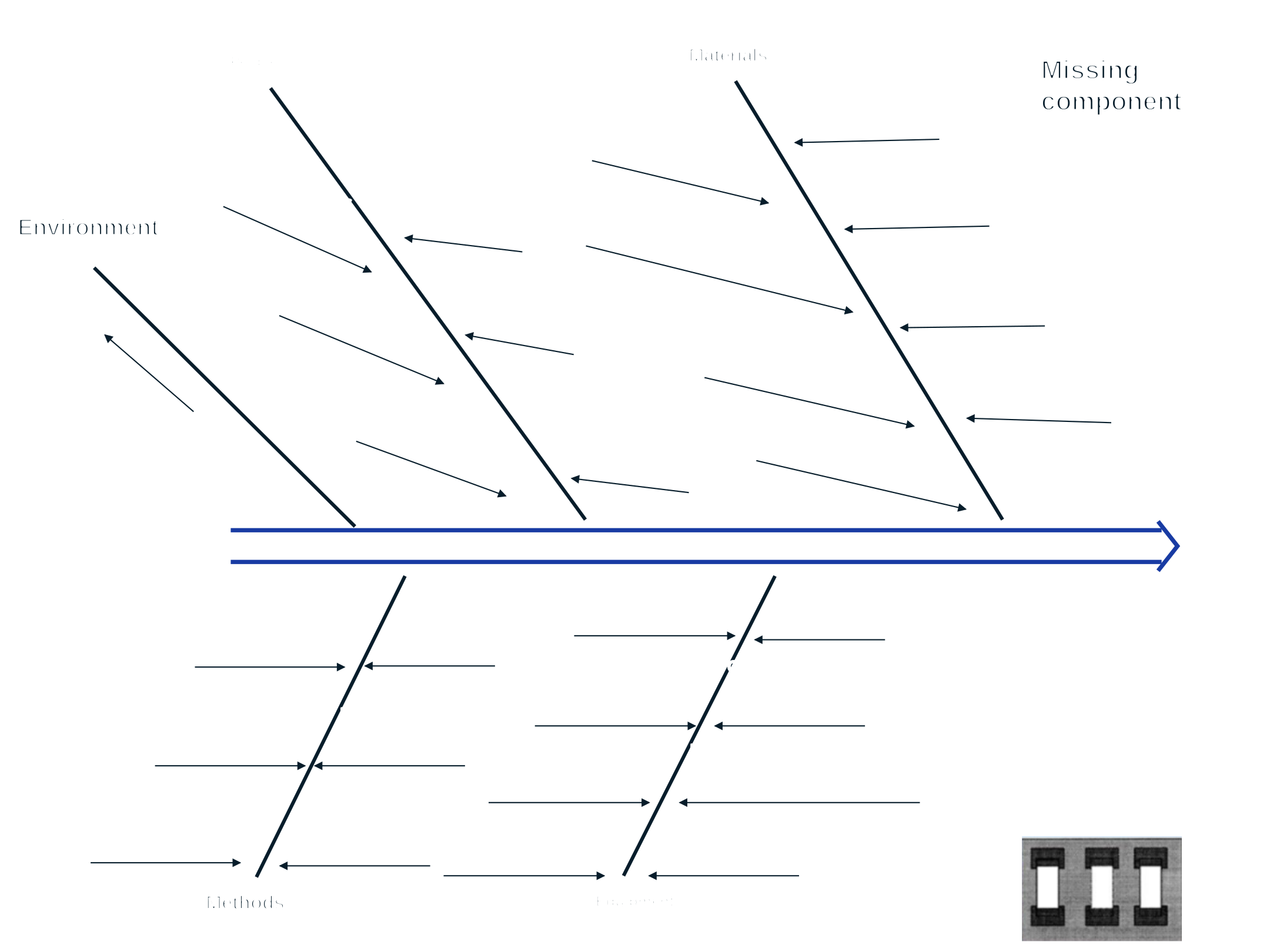
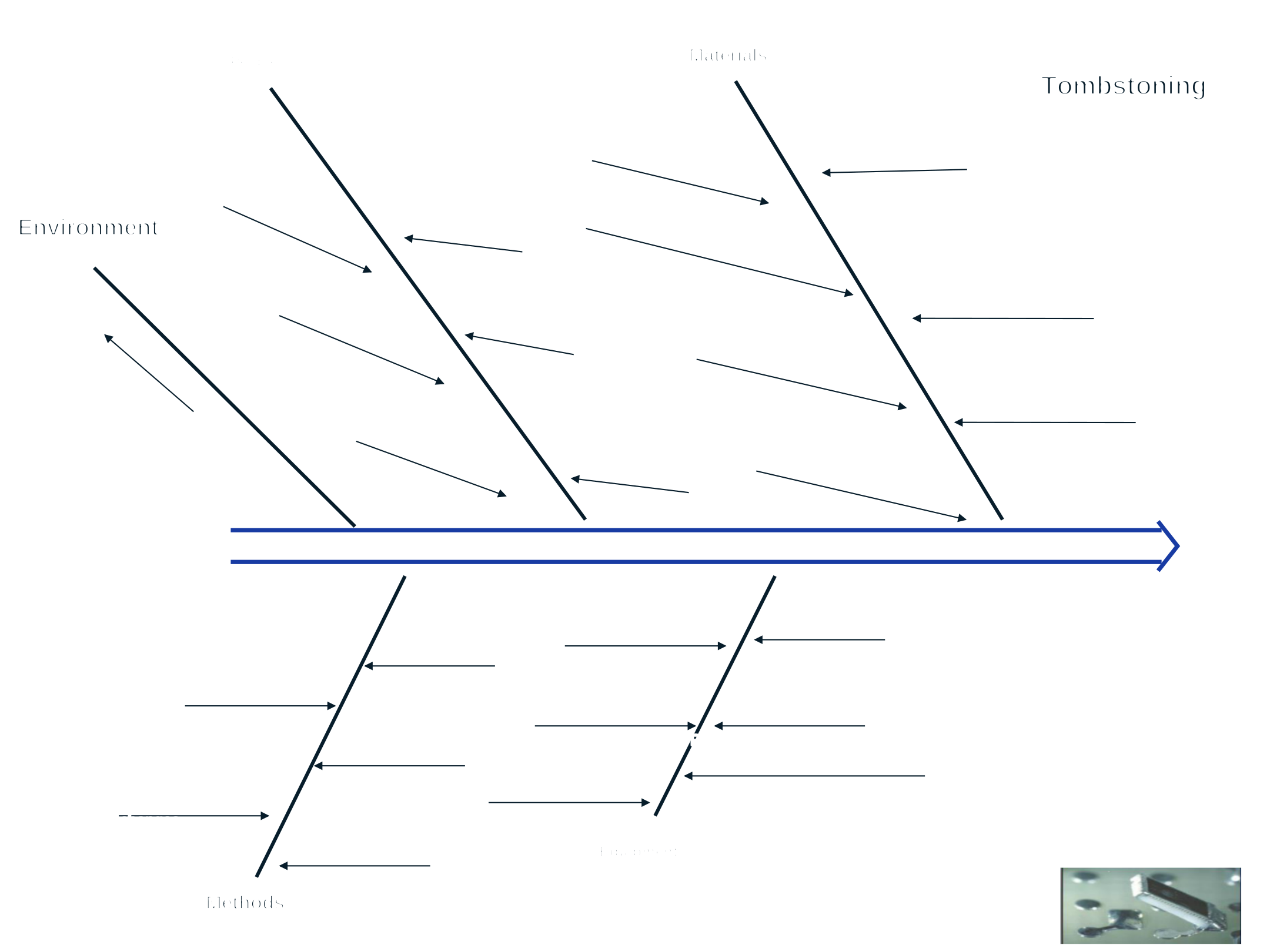
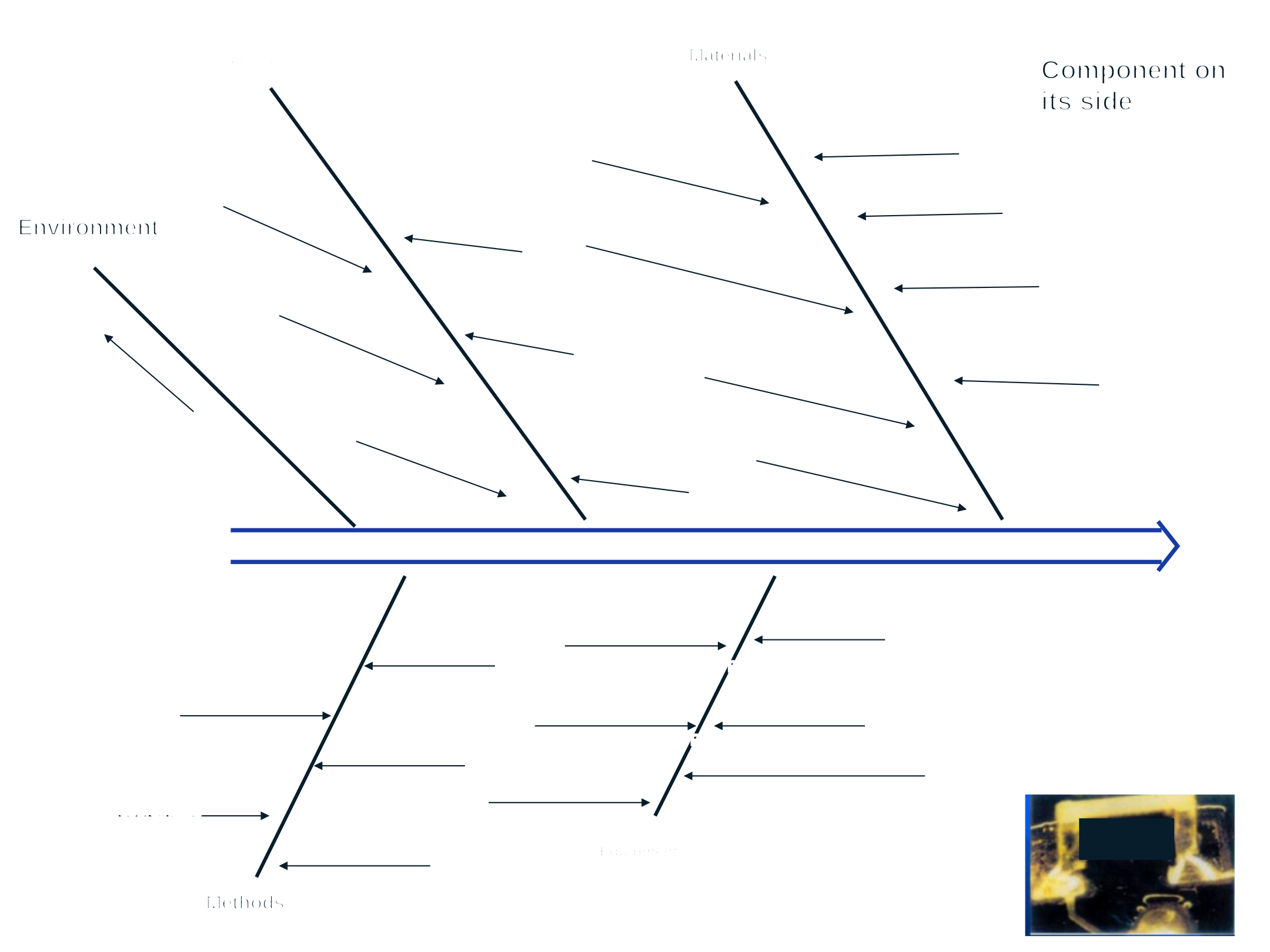
Visual examples give operators and technical staff a shared vocabulary. The eight training fishbones organize potential causes for discussion; investigation and verification are still needed to identify a root cause.
8 defect types
Upside-down placement · displacement · poor wetting · open joint · bridging · missing component · tombstoning · component on its side
Explore all eight training fishbone diagramsEnglish diagrams, examples & readable factor lists
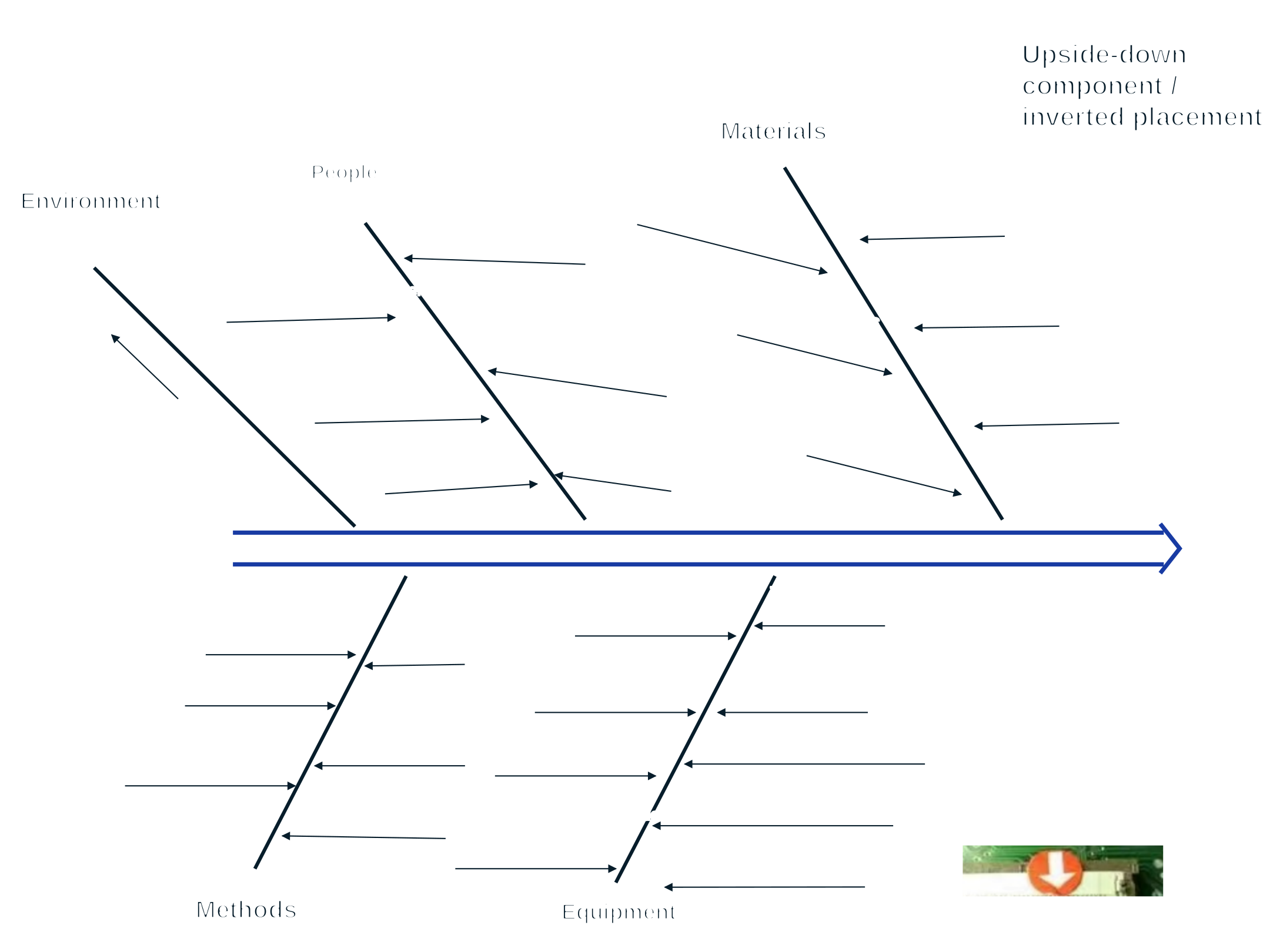
The source’s branch arrangement is preserved: Environment, People and Materials above; Methods and Equipment below, each in its original left-to-right order. The backbone points right. Use horizontal scrolling or the image viewer to inspect the diagram; all factors are also listed below it.
01Upside-down component / inverted placementA component placed with its underside facing up.
Material bag too loose or too tight during preparation
Components on their side
Board handling
Components on their side during preparation
Insufficient solder
Improper operation
MaterialsUpper branch
Poor PCB design
Oxidized or damaged components, exposed copper
Stencil apertures do not match pads
Improper component packaging
Poor component material
Excessive pad spacing
Impurities in solder paste
Poor component solder wettability
MethodsLower branch
Components too close to the board edge
Program coordinates
Uncertain PCB factor in source
Manual placement of loose components
Incomplete SOP
EquipmentLower branch
No support pins beneath the PCB
Board seating displacement
Paste printing displacement
Reflow oven speed
Board collisions in the reflow oven
Reflow oven temperature
Faulty feeder
One source factor concerning the PCB has unclear wording. Its intended cause is not inferred.
English derivatives of the eight supplied training diagrams, in original slide order. Their labels describe potential causes rather than factory incidents, verified root causes or improvement results. Sample photos are de-identified teaching details.
06 / ELECTRONICS INTEGRATION
Connect the PCBA to the whole product
Board assembly is one part of an electronic product. Housing fit, connectors, wiring, controls and functional requirements need to be considered together before the finished-product route is set.
DEFINE
Function & board requirements
Review the intended interaction, power, interfaces, board information and acceptance criteria. Agree electronics design, firmware and sourcing responsibilities for the project.
Coordinate board mounting, enclosure features, wire paths and the required assembly operations, including fastening or hand soldering where applicable.
Define function and test requirements for the finished product. Board AOI supports the assembly checks; finished-product function and acceptance need their own criteria.
Clarify the board, the finished-product requirements and the responsibilities to assess during the project review.
What electronics development and SMT assembly does Xinyinhai provide?
Xinyinhai offers in-house electronics development and SMT assembly within its plastic and electronic product manufacturing route. Electronic toys, interactive products and plastic products with electronics are assessed against the board, enclosure, function and assembly requirements. The design, firmware, component sourcing, testing and delivery responsibilities are agreed for each project.
Which printing tasks are automatic, and which need an operator?
The documented route uses an automatic solder-paste printer. Operators set the rails, stencil and squeegee, load cleaning paper and paste, confirm the print, and escalate faults. Automated printing is intended to reduce variation from manual printing; setup and quality decisions remain necessary.
Does the maintenance table prove all maintenance is complete?
It documents planned items and cycles for seven equipment categories. Monthly items are planned each month, half-yearly items in June and December, and annual items in December. The source has no year entered and its implementation columns are blank. Current machine condition, maintenance completion and production scheduling are confirmed during project review.
Where are the SMT inspection gates?
The workshop routes show PCB appearance, adhesive-print and solder-paste-print inspection, pre-oven QC and AOI. AOI is shown after reflow for the single-sided route and double-sided B; double-sided A proceeds to racking and the B route without a separate AOI gate. A separate quality-control chart also covers installation, placement, post-oven appearance, depaneling, packaging and ERP warehouse entry.
Can you assess single-sided and double-sided PCB assembly?
The workshop board documents separate single-sided and double-sided A/B routes. Red-adhesive printing and curing are retained where shown. The appropriate route and inspection coverage depend on the board and product; these archived diagrams are reviewed against the requirements of a new job.
How are training and production records used?
Xinyinhai conducts internal SMT training. The materials cover component orientation, ESD, 5S, printing, loading, equipment, reflow and defects. They describe training topics rather than completed assessments. The workshop board requires a reflow setup-parameter record after each setup and retention in the workshop. Record formats, availability and other project-specific checks are agreed during review.
How does the PCBA connect to finished-product assembly and testing?
A PCB is the printed circuit board; a PCBA is the board with components assembled onto it. Integration planning connects the PCBA to the plastic housing, mounting points, wiring, switches, outputs and functional checks. The assembly route and test requirements are defined for the product, with the existing assembly and quality processes providing the next handoff.
What should I provide for an electronics RFQ?
Share the project stage, function and test requirements, target market and quantity. Include a BOM, PCB/Gerber data or information about an existing board when available. A concept project can start with a functional brief; a repeat build needs the applicable files and references. MOQ, lead time, sourcing and delivery scope are assessed for the actual project.
START WITH THE INFORMATION YOU HAVE
Prepare your electronics project brief
Share the function, test requirements, quantity, target market and project stage. Include a BOM, PCB/Gerber files or information about an existing board when available.
Use the inquiry form to prepare your brief, or share it with your existing project contact. Agree a confidential exchange before sharing restricted board files. Downloading the brief does not submit an inquiry. MOQ, lead time, current equipment availability and delivery scope require project review.
Concept stage
Send a functional brief, product idea, target market and expected quantity.
Existing product or board
Share board information, references and the adaptation or integration you need.
Ready-to-build design
Provide the available BOM, PCB/Gerber and placement files, test criteria and revision references.